Brain mapping is a graphic way to identify different parts of an issue or to plan steps or consequences of an action.
Experts say mind mapping makes information easier to remember and makes studying more enjoyable.
If you are a fan of mind mapping, you could use specific software to create mind maps. Here are 5 ways to draw a mind map:
FreeMind
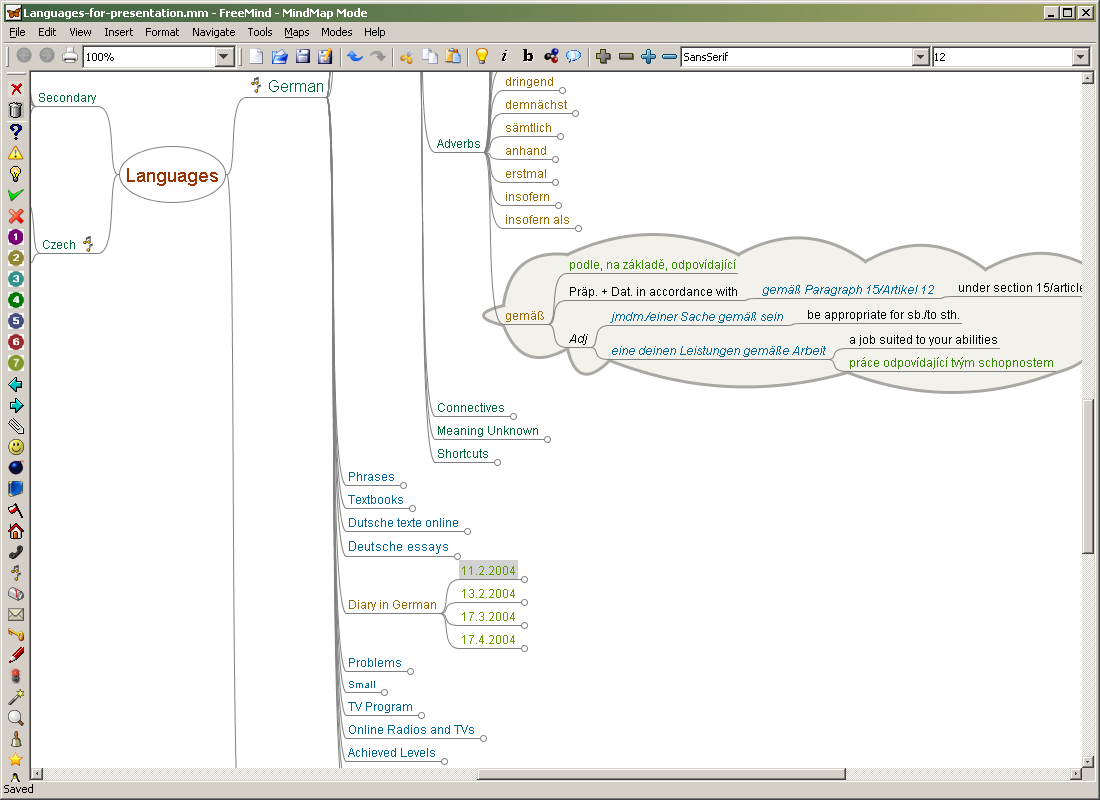
FreeMind is a premier free mind-mapping software written in Java. The recent development has hopefully turned it into high productivity tool. We are proud that the operation and navigation of FreeMind is faster than that of MindManager because of one-click “fold / unfold” and “follow link” operations.
In my opinion, FreeMind is the most advanced mind-mapping
software available for linux. I’m not a Java-based software fun so I don’t use it too much.
Some Features:
- following of HTML links stored in the nodes
- supports folding
- fast one-click navigation
- undo
- smart Drag’n Drop
- smart copying and pasting into
- export of map to HTML
- use and edit long multiline nodes
- built-in icons, colors and different fonts
- maps in XML format
- file mode enables you to browse the files on your computer, seeing the folder structure as mind map
VYM (View Your Mind)

VYM (View Your Mind) is a tool to generate and manipulate maps which show your thoughts. Such maps can help you to improve your creativity and effectively. You can use them for time management, to organize tasks, to get an overview over complex contexts, to sort your ideas etc.
VYM is not another drawing software, but a tool to store and modify information in an intuitive way. For example you can reorder parts of the map by pressing a key or add various information like a complete email by a simple mouse click.
This software was made having in mind simplicity. The graphic elements (icons and emoticons) available in VYM are not so many as in FreeMind. That is not necessary a weak spot, because many prefer to use their own graphical elements, it gives you freedom and that is, finally, a more personalized mind map. I prefer simplicity, and that is way, VYM is the tool I use.
Some Features:
- import of Freemind maps
- function to export from tomboy to vym
- export to CSV spreadsheet
- copy from past steps in history to current one
- autosave
- simple Editor for scripts
- syntax highlighting for editor
- undo
- following of HTML links stored in the nodes
- export of map to HTML or XML
- fast one-click navigation
Semantik

Semantik (previously Kdissert) is a mindmapping-like tool to help students to produce complicated documents very quickly and efficiently : presentations, dissertations, thesis, reports. While targeted mostly at students, Kdissert can also help teachers, decision maker, engineers and businessmen. Semantik is also available exclusively for Linux and other free operating systems.
Though this application shares some similarities with general-purpose mindmapping tools like Freemind or Vym, the very first goal of Semantik is to create general-purpose documents through the use of mindmaps.
This tool is somewhat different from the previous presented, being, IMHO of course, less intuitive then the previous two. Anyway, as the author of the application put it, Semantik it is much more suited to writing whole documents (”dissertations”), allowing writing long text on each node.
Some Features:
- undo
- tree view with integrated search
- export in several common formats
- add text and attachments for each item
- add diagrams
- supports pictures
Labyrinth

Labyrinth is a lightweight mind-mapping tool, written in Python using Gtk and Cairo to do the drawing. It is intended to be as light and intuitive as possible, but still provide a wide range of powerful features.
As previously stated, Labyrinth is (very) lightweight tool, meaning that only the basic features are available. Comparing Labyrinth with FreeMind is like comparing TuxPaint with Gimp. If you want to draw very fast a very simple mind-map and nothing more, than Labyrinth is the perfect tool for you.
Char Tr
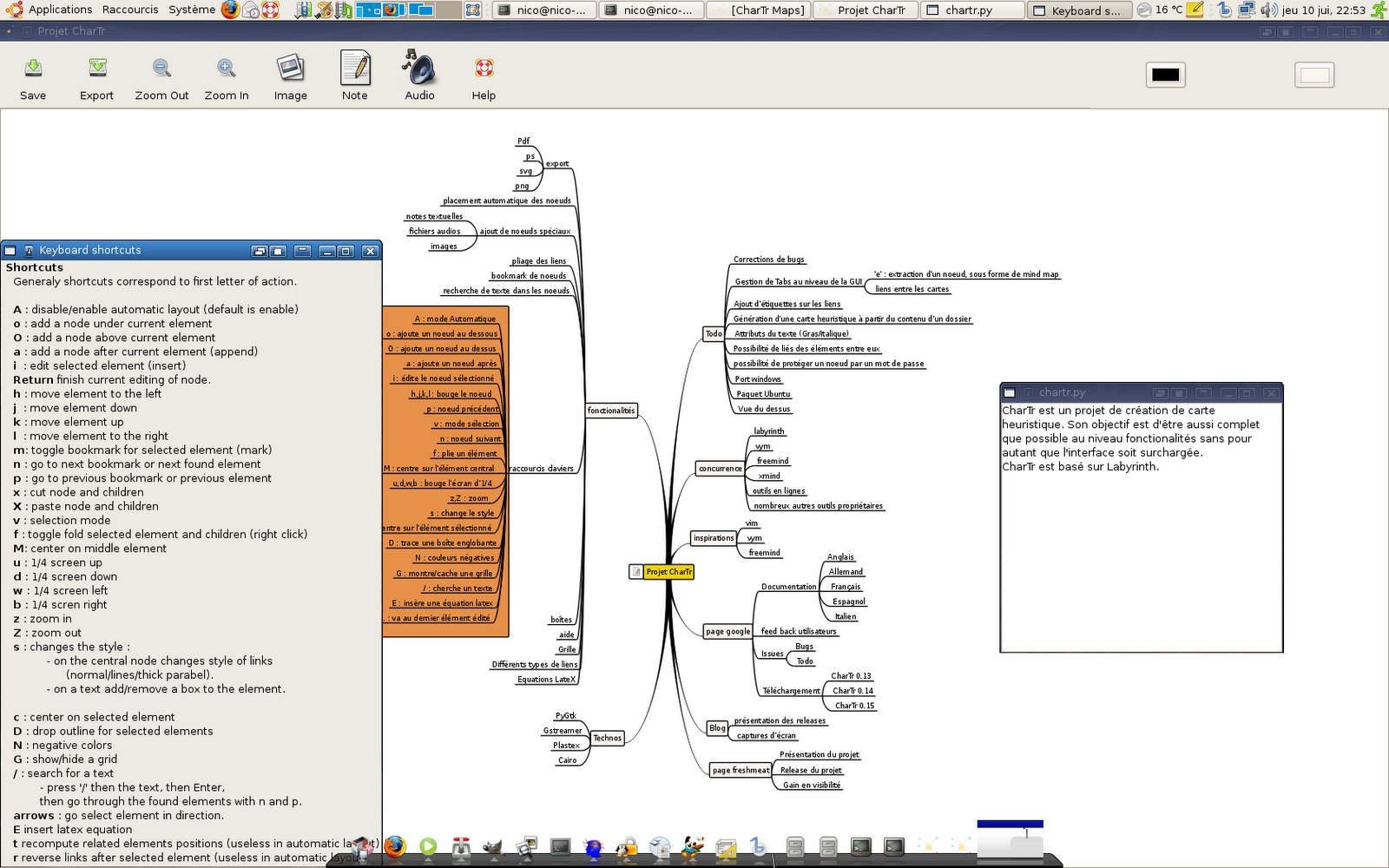
CharTr is an artistically software realized just for the fun of programming. It’s a fork of labyrinth 0.3. Inspiration sources are vym and vim
. But apart from being artistic, it tries to give an answer to the problem of mind mapping, and aims to usability.
If you thought trying Labyrinth, then you might as well give Char Tr a try.
UPDATE: Here are another three mind-mapping apps (based on Java) recommended by readers, that can be run on Linux:
Xmind (“The world’s coolest brainstorming and mind mapping software and the best way to share ideas.)
PersonalBrain
Compendium
If you know other mind-mapping tools, please mention them.
 a non-geek's blog
You can always use sth like http://www.mindmeister.com/
Aha, it’s a online tool. I’ll have a look. Thanks Night!
A Mind Map is simply a way of putting that structure down on paper. Java Programming
You could also look at PersonalBrain ( http://www.thebrain.com )
Cool 😀
I’m used to draw my own map, I’m going to try FreeMind and VYM.
Don’t forget the free tool Compendium from OpenLearn, here:
http://compendium.open.ac.uk/software.html
Cheers!
I have a list of all mind mapping software here:
http://www.mind-mapping.org
You can filter by map format and operating system.
Vic
Mind-mapping.org
The master list of mind mapping &
information management software
@Al and Rob
Thanks guys for your suggestions, I will try both applications (didn’t know about those two)!
@Gullit
To be honest, I think it’s more interesting to draw your own mind map on a paper, but let’s face it, it’s more comfortable, easy and fast to use the computer (at least you don’t have to gather all the pencils in the house on your table).
Try http://bubbl.us for an online version, where you can save your work, password protect it, invite other “brainstormers,” etc.
Cool post!
What about kdissert?
Kdissert is now known as Semantik (it is mentioned in the post too). See http://freehackers.org/~tnagy/kdissert.html for more information.
Regards,
Marius
Thanks 🙂
My favorite one is freemind and I’m quite happy with it. It is available for windows and linux as well.
Cheers 🙂
Have you looked at XMind?
thx a loooooooooooooooooooooot
that’s exactly what I need